// Tutorial //
Knowledge Base

How to Export All Campaigns Data from Facebook Dashboard

Published on November 21, 2025

Option 1: Export All Campaign / Ad Set / Ad Data (Ads Manager)

Step 1: Go to Ads Manager

  • Open: business.facebook.com/adsmanager

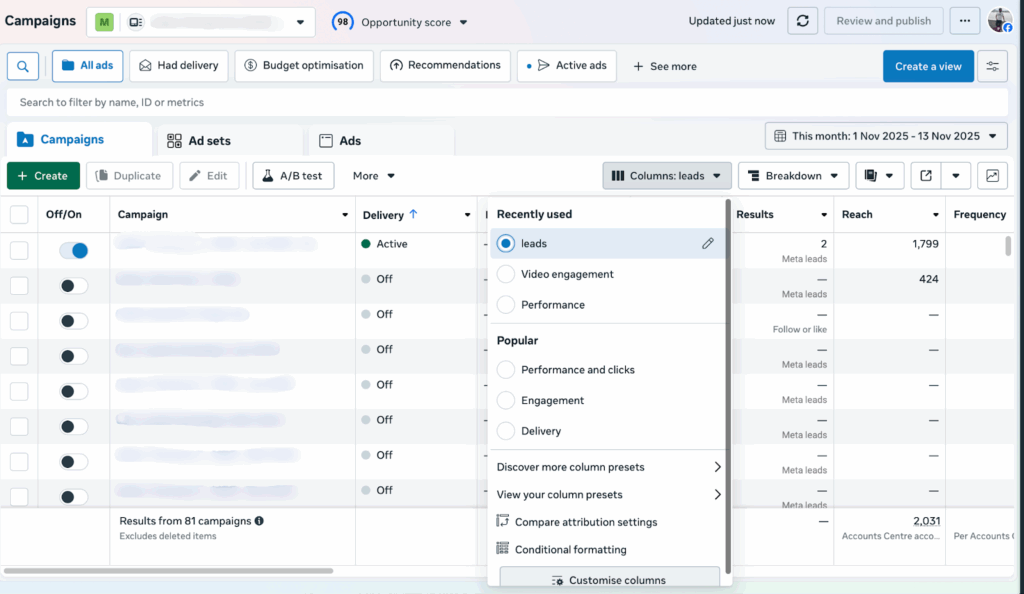
Step 2: Click on Columns and select the Customize columns 

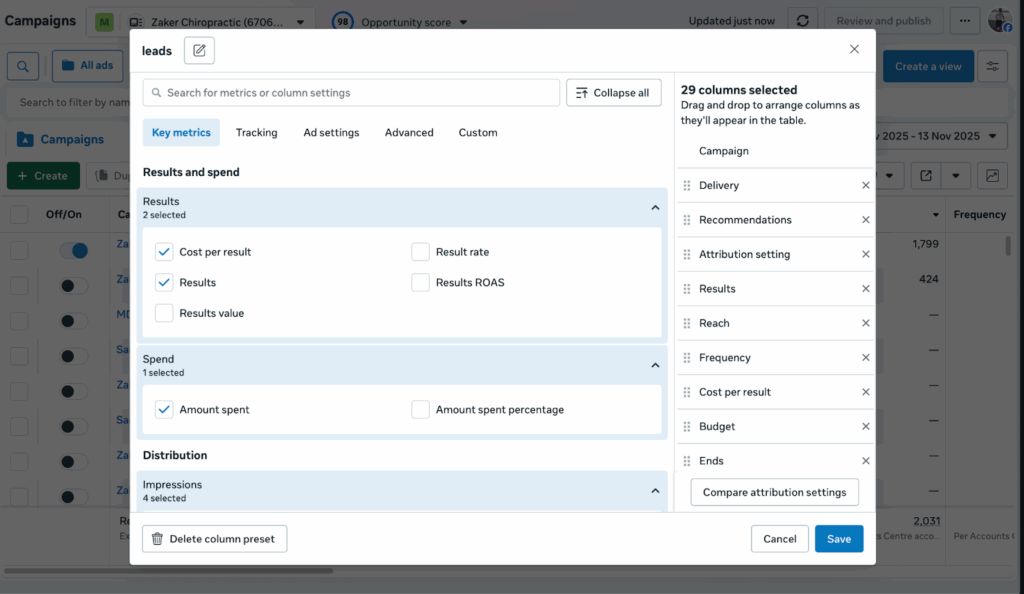
Step 3: Select all the possible options – like under “Key Metrics, Tracking, Ad settings, Advanced and Custom” and save it.

Step 4: Select the Date Range

  • Top-right → choose Lifetime (or custom date range)

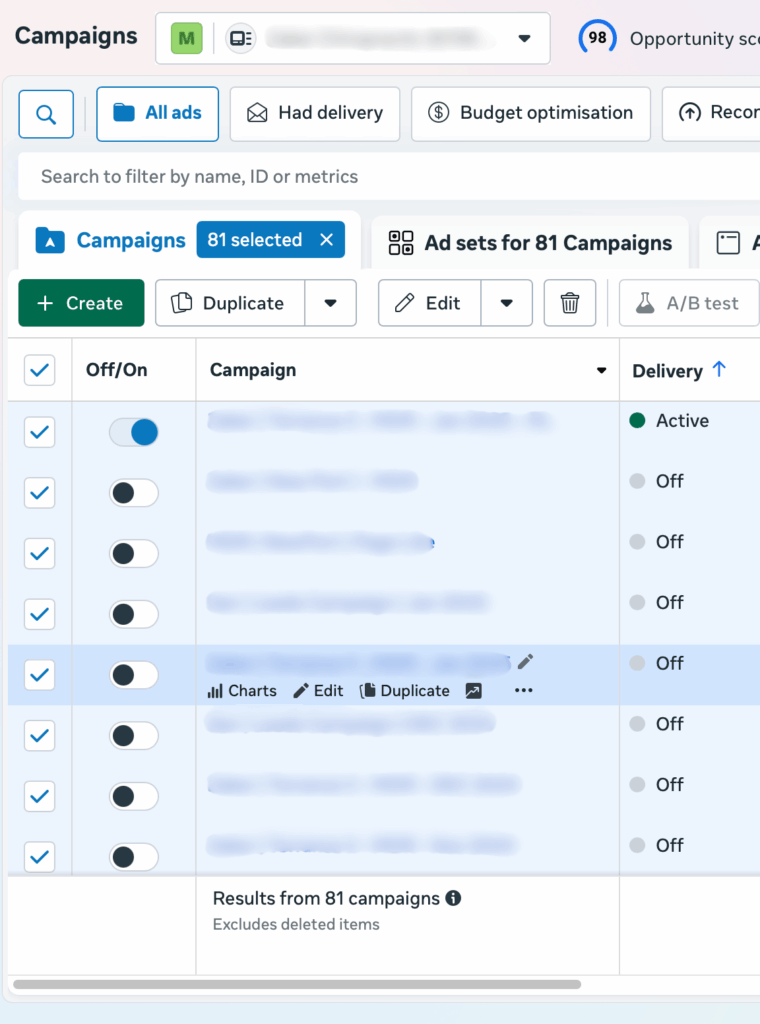
Step 5: Select All Campaigns Click the checkbox at the top → Select All

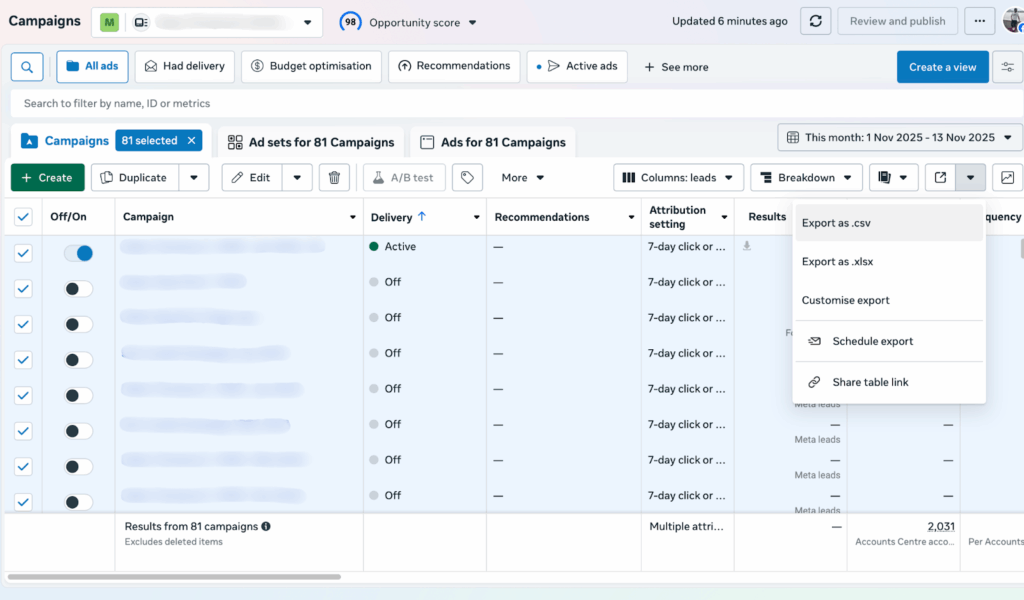
Step 6: Download

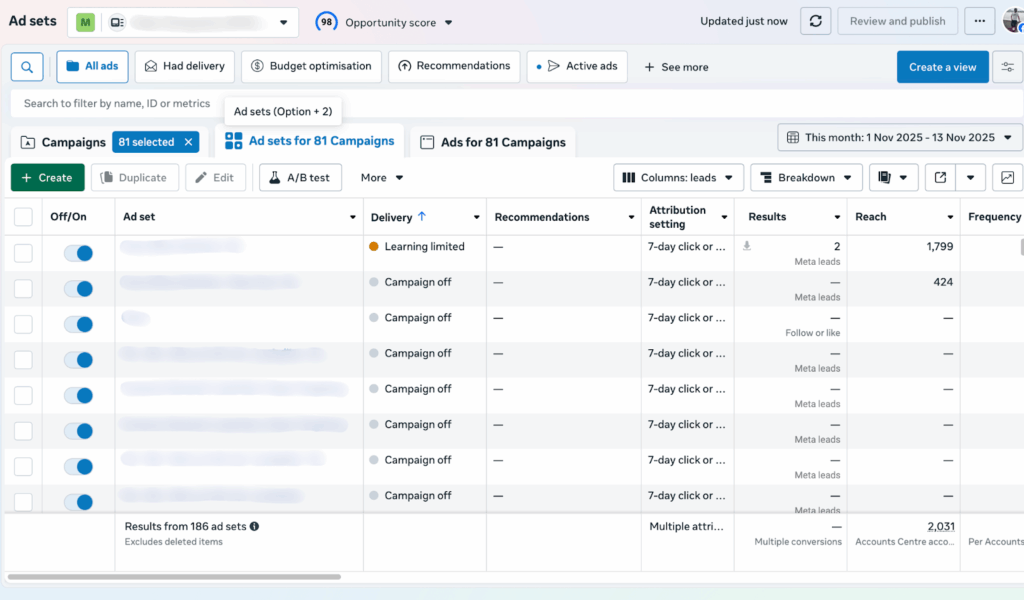
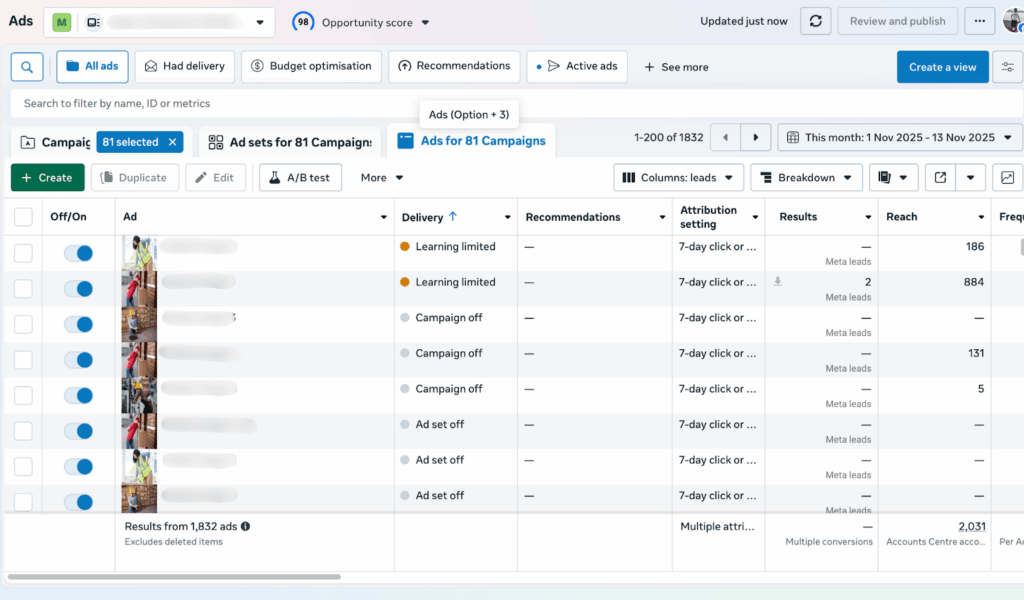
Repeat this for:

  • Campaign level – Explained Above
  • Ad set level
  • Ad level

These three files give you 95% of the full account data.

Table of content

Related Content
Grow Your Business With Marketing Done Right
Skip the guesswork. Marketing Done Right provides data-driven SEO insights and digital marketing packages to expand your reach and keep your business ahead of the curve.
We are a group of professional marketers, website builders, and developers with the goal of delivering high-quality services to our clients.
© 2026
Marketing Done Right, LLC
all rights reserved.
Accessibility Tools
hide