To move your account smoothly into our HighLevel agency, we follow a structured process that ensures all assets, phone numbers, and workflows transfer correctly with minimal interruption to your operations. Below is an outline of how the transfer works and what steps are involved.
1. Initiating the Sub-Account Transfer
To transfer your location into our agency, we’ll ask your previous agency to complete a simple in-app transfer.
Here’s what they will do:
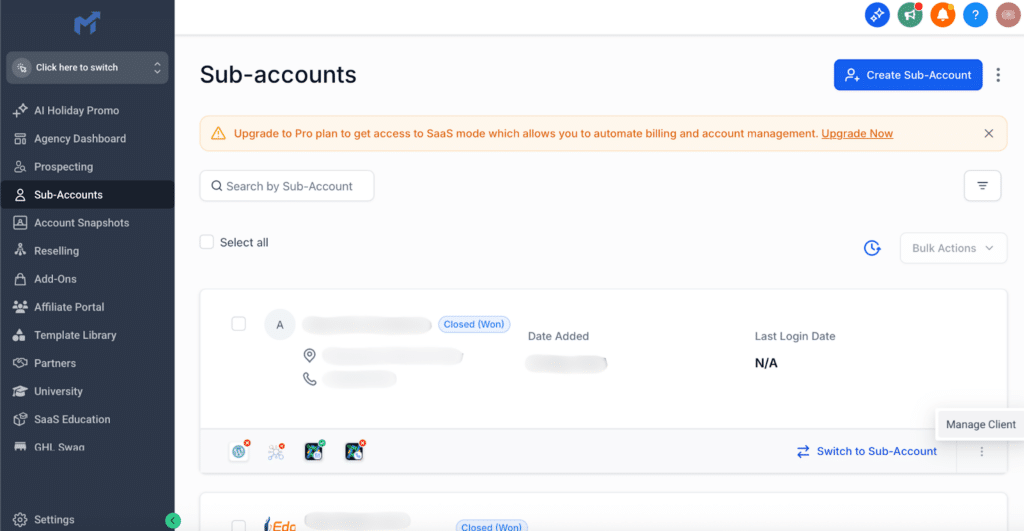
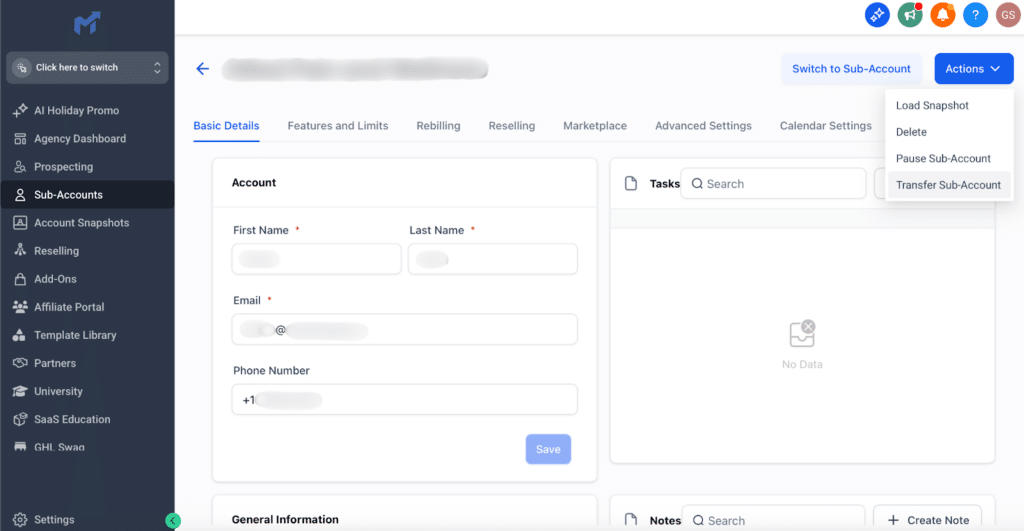
Go to Agency View → Sub-Accounts → Manage Client (your location)
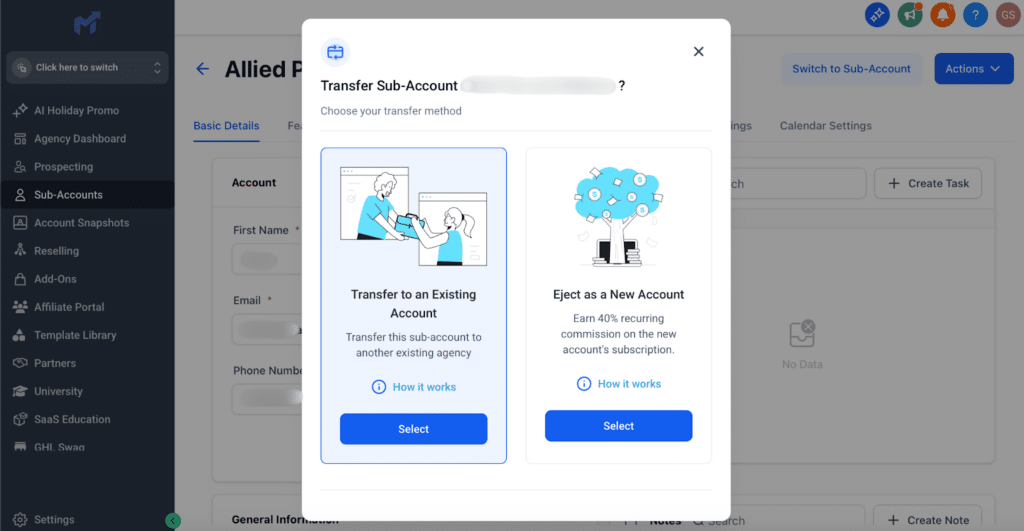
Select Actions → Transfer Sub-account
Choose “Transfer to an Existing Agency”
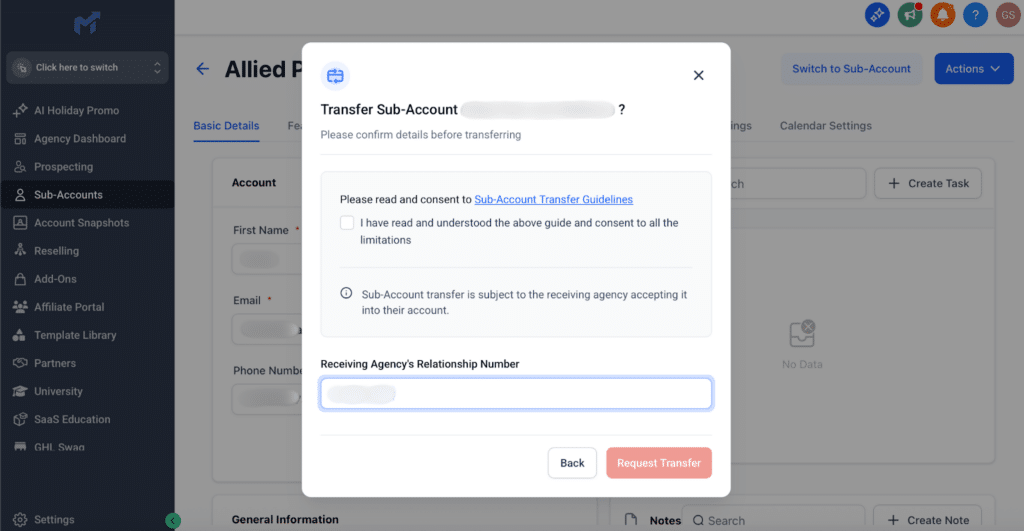
Enter our Agency Relationship Number: ➡️ 0-085-498
Submit the transfer request
2. Phone Numbers & A2P Registration
To guarantee uninterrupted texting and calling, it’s important for us to know which phone system your previous agency is using.
We will ask them to confirm:
Whether your account is using LC Phone (LeadConnector)
Or a Twilio phone number
Why this matters
If both agencies use LC Phone, the phone numbers and A2P registration will automatically transfer.
If your account uses Twilio, we’ll coordinate number migration with support.
In that case, we will need:
The Twilio Account SID
A list of phone numbers currently in use for your location
We handle the entire migration process for you—you won’t need to take any action here.
3. What Will Transfer Automatically
HighLevel’s sub-account transfer system ensures that all of your existing assets move over intact.
This includes:
Funnels & Websites
Forms & Surveys
Workflows & Automations
Trigger Links
Calendars & Pipelines
Contacts, Conversations & Appointment History
This prevents the need to rebuild anything from scratch.
4. What We Will Do After the Transfer
Once your sub-account lands in our agency, we will:
Reconnect Your Integrations
Facebook
Instagram
Google
Stripe
Domains & DNS
Quality Assurance
We will:
Review workflows
Reconnect forms where needed
Test critical automations
Turn workflows from Draft → Active after confirming everything works properly
Our goal is to ensure everything is fully functional before going live again.
5. Scheduling the Transfer
To keep everything running smoothly, we’ll coordinate the timing with your previous agency.
We’ll confirm:
A preferred date and time window (including time zone)
Whether there are any active campaigns or time-sensitive activities we should avoid
This helps us plan QA and ensure no disruptions for your team.
XThe accessibility of our website is taken very seriously. We strive to meet WCAG Web Accessibility standards by routinely evaluating our website using automated evaluation tools and manual testing when required. As content changes we review and correct issues and are responsive to our users needs. If you encounter issues with our website, please report them so they may be corrected in a timely manner.